
Fact: 68% of remote workers say unreliable power or Wi‑Fi has cost them billable hours while away from their main office.
This guide helps people who work anywhere in the world pick reliable items that keep work moving. Right tools cut downtime, protect data, and simplify daily life.
We focus on real, tested products: USB‑C GaN chargers and multi‑plug cables, high-capacity power banks, noise‑canceling headphones like AirPods Pro and Bose QC35, rugged SSDs, Wi‑Fi extenders, and global eSIM options such as Dent or Google Fi.
Expect practical advice on packing light, using RFID‑blocking wallets and tracker cards, and choosing carry solutions that act as both bag and luggage. You’ll get tips on cloud backups, drop‑proof drives, water filters, compact coffee makers like Aeropress Go or Nanopresso, and when to carry a portable monitor or laptop stand.
Key Takeaways
- Prioritize power and connectivity: GaN chargers, multi‑plug cables, and a strong power bank.
- Protect data with cloud backups plus a rugged external SSD.
- Choose noise control and sleep aids—headphones, 3D masks, and blue‑light glasses.
- Pack smart: mesh wash bags, packing cubes, a digital luggage scale, and a compact tech case.
- Carry an RFID wallet and tracker cards for security and easy access.
- Bring reliable coffee and water solutions that travel well.
Power and charging essentials to stay online anywhere
Keep power flowing on long days away from your usual workspace with a focused charging kit. A compact setup prevents lost hours when outlets are scarce.
High-capacity power bank with fast charging and multiple ports
Recommend a 20,000 mAh+ power bank with at least two output ports and 45–65W support. Higher wattage lets small laptops and tablets charge faster while phones and earbuds top off simultaneously. Pairing a light quick charger with the battery shortens hotel charging before early departures.
Universal travel adapter with built-in USB/USB‑C
Choose a universal adapter that covers US, EU, UK, and AU plugs and includes USB and USB‑C outputs. This reduces bricks and saves space in your carry while aligning with category groupings at https://dunamia.com.
Multi-plug cable and compact USB multi-plug
A multi-plug cable (Lightning/USB‑C/Micro‑USB) cuts clutter, but keep one data-capable cable for firmware updates and syncing. Use a compact GaN multi-port charger to charge multiple devices from one wall socket. Carry a small single-port backup as redundancy.
| Item | Why it matters | Suggested spec |
|---|---|---|
| High-capacity power bank | Keeps phone, tablet, and small laptop topped during long days and flights | 20,000 mAh+, 45–65W, 2+ ports |
| Universal adapter | Replaces region-specific plugs and integrated USB outputs free up space | US/EU/UK/AU coverage, USB & USB‑C |
| GaN multi-port charger | Consolidates multiple bricks into one small unit | 65W total, 3+ ports |
| Multi-plug & data cable | Reduces tangles; keeps data sync available for firmware fixes | 4‑in‑1 charge cable + one data-capable cable |
- Packing tip: stash cables and the bank in a dedicated tech case for fast security bin swaps.
- Safety note: keep lithium batteries in carry-on; follow airline size limits.
- Routine: make a nightly charging habit so devices hit 100% before the next segment.
Rock-solid connectivity: Wi-Fi extenders, hotspots, and eSIMs
Reliable connectivity is the backbone of remote work; plan layers of internet access before you land.
Portable hotspot and data eSIM options
Dent offers data eSIM packages valid in 60+ countries with 365‑day validity, and many choose Google Fi for seamless roaming.
Activate a data eSIM before arrival so you can call a ride and find your accommodation immediately, then switch to a local SIM for long‑stay savings.
Wi‑Fi range extender to fix weak signals
Use an extender when routers sit far from your workspace, walls are dense, or video calls stutter. Test speeds with Speedtest before moving furniture or deploying hardware.
SIM card holder and pin
Keep spare SIM cards, micro/nano adapters, and the ejector pin in a slim SIM card holder tucked in your bag or wallet. This small habit prevents lost cards and keeps swaps simple.
- Redundancy: carry eSIM + local SIM + hotspot to cover rentals and busy coworking spaces.
- Security: back up 2FA methods before swapping SIMs to avoid account lockouts.
Noise-canceling headphones for focus on flights and in coworking spaces
Noise-canceling headphones are a quick way to reclaim focus on a noisy flight or in busy coworking spaces.
Over-ear models like the Bose QuietComfort 35 offer maximum isolation and comfort during long sessions. They act as a clear “do-not-disturb” signal in shared spaces and reduce engine roar on flights.
In-ear ANC options such as AirPods Pro give a minimalist, pocketable setup. They deliver strong active cancellation but may not fit every ear canal. Sony’s ANC models bridge the gap with solid noise suppression and call clarity.
Why ANC helps: it lowers café chatter, construction noise, and cabin hum so you can work or sleep. Use ANC as a nonverbal boundary when you need uninterrupted deep work.
- Pick batteries that last 20–30 hours for multi-leg journeys.
- Bring a short USB‑C cable in your tech case to top up between legs.
- Save a focus playlist offline to stay productive when Wi‑Fi drops.
- Choose headphones with strong mic performance for clearer Zoom calls in echoey rooms.
| Type | Best use | Pros | Cons |
|---|---|---|---|
| Over-ear (Bose QC35) | Long work sessions, flights, coworking | Superior isolation, comfort, clear DND signal | Bulkier to pack, heavier |
| In-ear (AirPods Pro) | Short trips, pocketable daily use | Compact, strong ANC in a small form | Fit varies by ear; may leak sound |
| Sony ANC models | Hybrid use: calls + noise reduction | Balanced ANC, good call quality, long battery | Price varies by model |
Data safety stack: cloud storage plus rugged external SSD/HDD
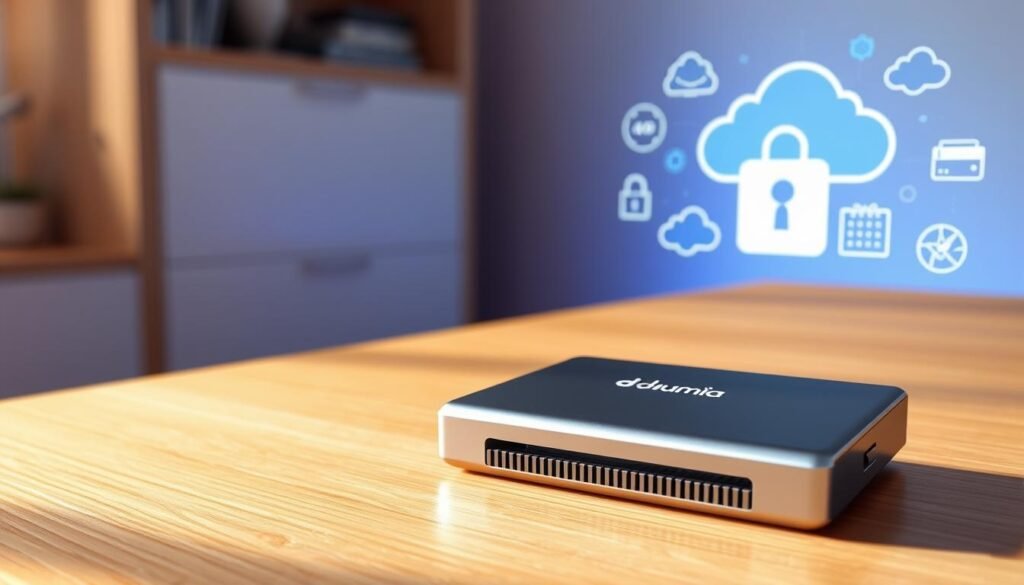
A sound data strategy pairs online backup with a tough external drive so one loss doesn’t become a catastrophe.
Start cloud-first. Use Google Drive or Dropbox to sync active files from your laptop each night. Dropbox is common for collaboration and is handy if teammates share large folders. Google Drive (Workspace) shows online-only folders that help with file discovery without eating local space.
Local redundancy that moves with you
Carry a rugged, drop-proof SSD for offline projects and fast edits. SSDs resist shock and are quicker than HDDs, while larger HDDs still make sense if you need cheaper cost-per-GB for archives.
- 3‑2‑1 rule: three copies, two media types (cloud + external drive), one offsite copy.
- Security: encrypt external drives and enable 2FA on cloud accounts to protect sensitive data across devices.
- Workflow: active work on the laptop, nightly cloud sync, weekly clone to the external drive.
- Practical tip: carry short, labeled cables and check power draw when using bus-powered hubs or limited power outlets.
| Option | Best use | Why choose it |
|---|---|---|
| Google Drive (Workspace) | Online-first file discovery | Online-only folders save local space; great when browsing many files on dunamia.com product pages |
| Dropbox (2TB tier) | Collaboration and easy sharing | Team-oriented syncing and common in client workflows |
| Rugged external SSD (1–4TB) | Frequent movers and heavy editing | Shock resistance and speed for large media files |
| High-capacity HDD (4+TB) | Archive and cost-efficient storage | Lower $/GB for backups kept at home or offsite |
Final note: treat storage decisions like insurance. Choose cloud when you need seamless access and sync; pick local products when you need raw speed or offline redundancy. Keep one drive with you and another backed up at home.
Smarter carry: wallets, trackers, and security-first EDC
Keep essentials secure and easy to reach with a compact, security-first everyday carry setup. Small, purposeful choices reduce loss and theft risk while on the move.
RFID-blocking slim wallet with fast card access
Choose an RFID-blocking smart wallet that stores up to a dozen cards and uses a push-button to fan them for quick payments. Ekster models combine slim profiles with durable materials and optional AirTag-compatible slots.
Rechargeable tracker cards and finders
Tracker cards like Ekster’s Finder Card ring your wallet or phone and send left-behind alerts. They help locate a misplaced bag in a crowded hub and can double as a remote selfie trigger.
Security keys and VPN for public networks
Enable a YubiKey on critical accounts to add hardware two-factor protection. Always run a reputable VPN (NordVPN, ExpressVPN) on café or airport Wi‑Fi to reduce credential theft and protect bank logins and sensitive data.
- Quick advice: keep a backup payment card in your bag separate from your main wallet.
- Minimal EDC: wallet, tracker card, compact tech case, universal adapter, tiny flashlight.
- Check category pages on dunamia.com for wallets, trackers, security keys, and VPN options.
Pack better: packing cubes vs. mesh wash bags and digital luggage scales
A few simple swaps let you carry more, find items faster, and avoid last-minute repacking.
Packing choices change how much usable space you get and how fresh clothes stay between washes.
Compression strategy to maximize space and keep items organized
Use compression cubes when you need to reduce volume of bulky layers. Roll soft shirts and stack them into a cube, then compress to squeeze out air.
Reserve one small cube for cords, batteries, and chargers so electronics stay tidy and easy to find.
Color-code cubes and label sides. Keep a separate “laundry” mesh for worn items to stop odor transfer.
Weigh before you go with a travel luggage scale
A digital luggage scale prevents last-minute shuffles at the airline counter. Weigh bags before you leave a flat or hotel to avoid fees after market buys or wet gear.
- When mesh wash bags win: warm trips with frequent laundry — they breathe, weigh less, and help damp items dry.
- When compression cubes shine: cold-weather packs with thicker sweaters and jackets that need volume reduction.
- Bonus tip: stash a thin, foldable tote for overflow souvenirs so your main luggage stays under limit.
| Option | Best use | Key benefit |
|---|---|---|
| Packing cubes | Bulky layers, cooler climates | Compresses volume and creates neat stacks |
| Mesh wash bags | Warm trips, frequent laundry | Lightweight, breathable, reduces odor buildup |
| Digital luggage scale | All trips with checked bags | Avoids overweight fees; quick pre-check weigh-ins |
Luggage and bags built for nomads
A single bag that adapts from duffel to backpack simplifies short trips and long stints alike.
Convertible duffel-backpack with clamshell opening
Why it helps: a convertible duffel-backpack packs like a suitcase and carries like a daypack.
Ekster’s GRID Duffel Backpack is a good example: clamshell access, external compression, weatherproof fabric, and multiple compartments for neat storage.
Carry-on backpack criteria
Look for 35–45L capacity, a padded laptop sleeve, quick-access pockets, and lockable zippers.
Water-resistant materials, reinforced stitching, ergonomic straps, and a breathable back panel improve comfort on long commutes.
Tip: aim for a lightweight sub‑3 lb pack so you keep more usable space and stay comfortable on multi-leg trips.
Tech case and cable organizer
Bring a 180° lay-flat organizer to end cord chaos. Ekster’s Tech Case uses water-resistant 400D recycled polyester, stretch mesh pockets, and elastic cable loops to hold adapters, drives, and cables neatly.
| Item | Key feature | Benefit |
|---|---|---|
| Convertible duffel-backpack | Clamshell opening, external compression | Packs like a suitcase; quick access without digging |
| Carry-on backpack (35–45L) | Padded laptop sleeve, lockable zips, breathable back | Meets cabin limits; comfortable for long walks |
| Tech case (180°) | Stretch mesh & elastic organizers, water-resistant 400D | Fast unpacking; keeps cables and drives protected |
- Choose hidden passport pockets, luggage-pass through sleeves, and lockable zippers for extra security.
- Test fit and adjust straps before long trips to ensure the system suits your packing style and body shape.
Build a mobile office anywhere
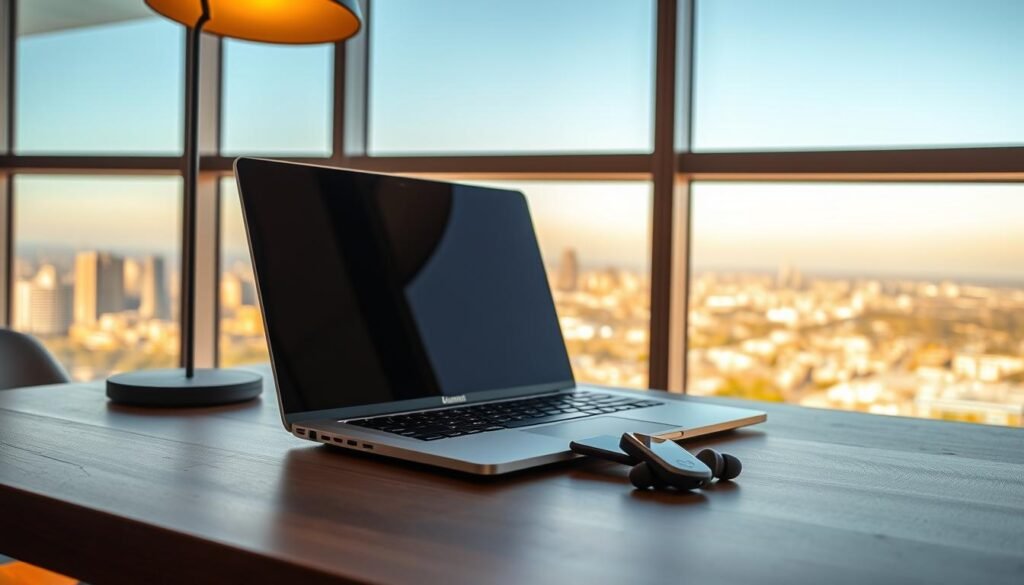
Set up a compact workspace that fits any café table or hotel desk in under two minutes. A repeatable routine saves time and protects posture when you need to get down to focused work quickly.
Lightweight stand, compact keyboard, and wireless mouse
Choose a foldable laptop stand that raises the screen to eye level and pairs with a compact keyboard and wireless mouse. This small system improves posture and turns a cramped surface into a usable desk.
Protective sleeve that doubles as an organizer
Ekster’s Laptop Sleeve adds padded protection and pockets for pens, notepads, and documents. Use it as a slim organizer to keep essentials reachable between meetings and map ergonomic kits and sleeves on dunamia.com.
Optional second screen and cables pouch
A portable monitor or an iPad gives you extra screen real estate for editing and dashboards. Keep a small pouch of short cables and dongles (USB‑C, HDMI, USB‑A) plus a tiny power bank to top up peripherals and the battery on the go.
- Pack the stand flat against the sleeve and route cables through elastic loops to avoid tangles.
- Follow a simple order: sit, stand, plug, connect — repeat to speed setup.
Reading and entertainment that travel light
When hours on the move stretch thin, lean on compact items that deliver big entertainment value.
Carry a Kindle Paperwhite to hold a full library in a thin, glare-free device. It saves space and keeps highlights and notes in one place while you work or unwind.
Download playlists, podcasts, and shows for offline use so long transit days don’t depend on spotty Wi-Fi. Save a few audiobooks for red-eye flights and slow mornings.
Make your work setup double as leisure: the same laptop and headphones that handle calls can stream movies and music in small rentals.
- Pack a tiny foldable stand to prop devices on airplane trays or café tables.
- Carry one compact cable to link devices to a hotel TV for easy movie nights.
Packing tip: tuck these light extras into your tech case so entertainment is always at hand without extra bulk — a clear win for the modern nomad.
Hydration and coffee gear for long workdays and flights
A compact setup for water and coffee saves time and removes one more friction point from your daily routine.
Hydration: Carry a collapsible bottle for airports and day trips; it packs flat when empty and refills fast at cafés or filtered taps.
Filtration that fits your stay
Short stays: a Grayl bottle filter provides on-the-go purification and is ideal during short hops.
Longer stays: consider a table filter like the Alcala Quell One where local water quality is uncertain.
Brewers to match your routine
Espresso fans favor the Nanopresso with the Barista Kit for double shots and crema. If you prefer versatile filter coffee or cold brew, the Aeropress Go is lighter and easier to clean.
Keep drinks hot and simple
Bring a reusable thermal mug (Klean Kanteen Wide) and a foldable tea infuser for loose-leaf tea with minimal mess.
- Rinse filters promptly and pack spare o‑rings or parts for daily-use items.
- Use a small power bank to top up phones while working from cafés so you don’t hunt for outlets.
- Quick rule: choose a bottle and brewer that match trip length and space limits.
Health, sleep, and screen-time comfort
When daylight and noise change, a few small wellness items restore calm and focus. These additions protect eyes, aid sleep, and keep a laptop clean during busy days.
3D sleep mask and earplugs
Choose a 3D sleep mask with adjustable Velcro to block light at the nose and avoid pressure on the eyes. The shaped design keeps air circulation and prevents creasing.
Pair the mask with quality earplugs to cut ambient noise on city nights or in thin-walled rentals. Together they improve recovery and reduce interruptions between work sessions.
Blue-light blocking glasses and f.lux
Blue-light glasses reduce evening screen strain and help the body adapt after long flights or late hours. Install f.lux on your devices to shift display color temperature toward local daylight and ease sleep onset.
Microfiber laptop cleaning cloth
Carry a soft microfiber cloth to wipe fingerprints, sand, and keycap residue from screens. Use it between the keyboard and screen to avoid abrasion during transit and daily use.
- Recommend: 3D mask with Velcro to prevent light leaks.
- Also: dependable earplugs to reduce noise and aid rest.
- Tip: set a consistent wind-down routine on work days to support a healthy lifestyle as nomads and cut screen-induced sleep delays.
Documents, payments, and onward travel logistics
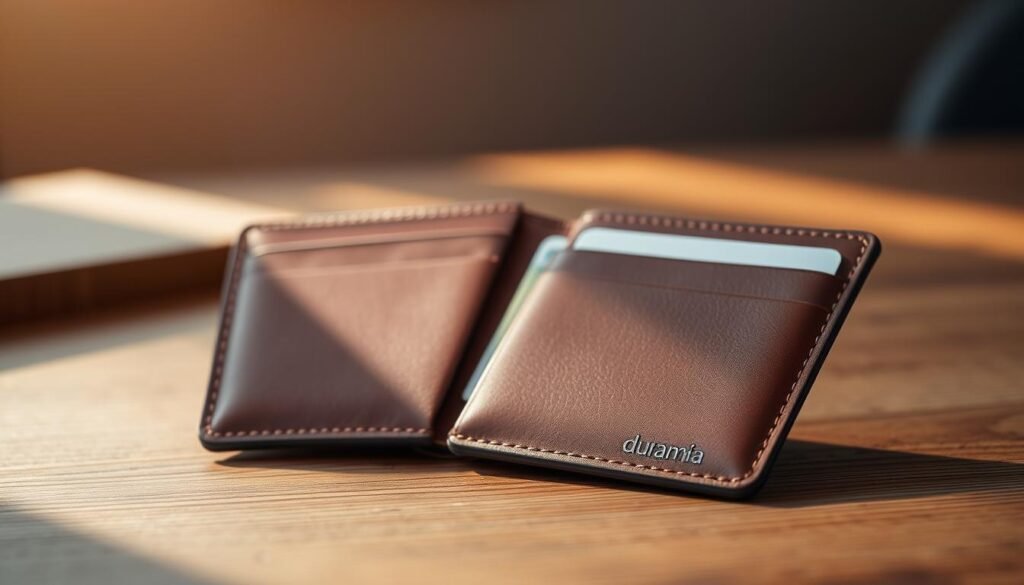
A short document and payment checklist removes last-minute stress at the airport and border control.
Prep once, use everywhere. Keep physical and cloud copies of key papers and ensure your payment methods work across borders.
IDs, insurance, and secure payment cards
- Passport: valid 6+ months from arrival date; keep a photo and encrypted cloud copy.
- Visas and vaccination records: printed copy and cloud backup for quick presentation.
- Insurance: choose a policy that covers medical care, theft, and equipment loss.
- Carry multiple low‑fee bank cards and keep spare cards separate from your main wallet.
- Enable transaction alerts and use a VPN when accessing online banking or sensitive data.
Onward flight reservations and entry rules
Many countries require a verifiable onward booking to allow entry, especially on one-way tickets.
Onward reservation services provide short-window, verifiable bookings and hotel confirmations needed for visas.
- Do a pre-trip packing pass: confirm printed and digital sets the night before departure.
- Store encrypted copies in your cloud account and a secondary offline drive.
- Keep emergency contact and policy numbers accessible in your wallet and cloud notes.
| Item | Why it matters | Quick action |
|---|---|---|
| Passport & visas | Required for entry; many states demand 6+ months validity | Print one set; upload encrypted copy to cloud |
| Insurance | Covers medical, theft, and equipment while away | Carry digital policy and a printed summary |
| Onward flights | Proof-of-exit can be mandatory at immigration | Use a verifiable reservation service or temporary booking |
| Cards & alerts | Multiple cards reduce declined payments; alerts prevent fraud | Split spares between wallet and bag; enable bank alerts |
Keyword hub: travel gadgets, digital nomad gear, tech for travelers
Pack with intent: match what you carry to how you work and how long you’ll be away.
How to prioritize essentials by trip length and work style
Define your work style (heavy editing, meetings, or light email). Then map essentials to trip length and bag capacity (35–45L is a sweet spot).
Lock in a core laptop and storage setup first. Layer connectivity, power, and backups based on destination infrastructure and your actual needs.
Minimalist packing tips for everyday carry and long-haul trips
Stick to a neutral palette and multi-role apparel to save space. Compress clothing and choose items that serve multiple purposes.
Use cubes for bulky layers and a mesh wash bag when breathing and quick drying matter. Allocate storage so morning routines are fast and predictable.
Quick decision framework and validation
- Define work style, then list must-have items by trip length.
- Pack core laptop, backup storage, and a power/connectivity layer next.
- Run a weekend test trip and track unused items to refine your loadout.
Use this hub on dunamia.com to link buying guides and category pages that match your needs and refine what you pack each trip.
Conclusion
Choose a compact kit that covers power, connectivity, focus, storage, and smart carry — and your days on the road get simpler.
Start with reliable power and layered internet options, add noise control and a rugged drive, then organize it all inside a well‑designed bag and slim wallet. These moves make nomad life more predictable and productive across time zones and changing conditions.
Refine your setup on real trips: retire items you never use and upgrade the few that matter most. Keep backups, encryption, and an eSIM or hotspot as part of your standard routine to reduce friction worldwide.
Explore category guides and curated product roundups on dunamia.com to build a personalized loadout that fits your work rhythm and life on the move.